1. Allocate a User to a User Group
- Go to Admin → Manage Users.
- Find the user you want to assign and click the Grid Row.
- In the User Group dropdown, select the appropriate group.
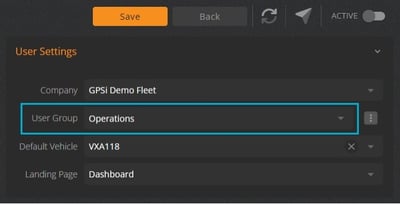
- Click Save to apply the assignment.
Quick Tip
- User Groups typically represent departments, business units, or locations.
-
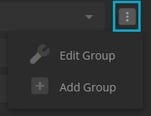
You can also create a new group on the fly by clicking the three‑dot menu and selecting the option to add a new group.